
S-112056 Community (NOC ONLY) - PBS/N-OC Export: Remove User Passwords from Manual XML Export File
Description
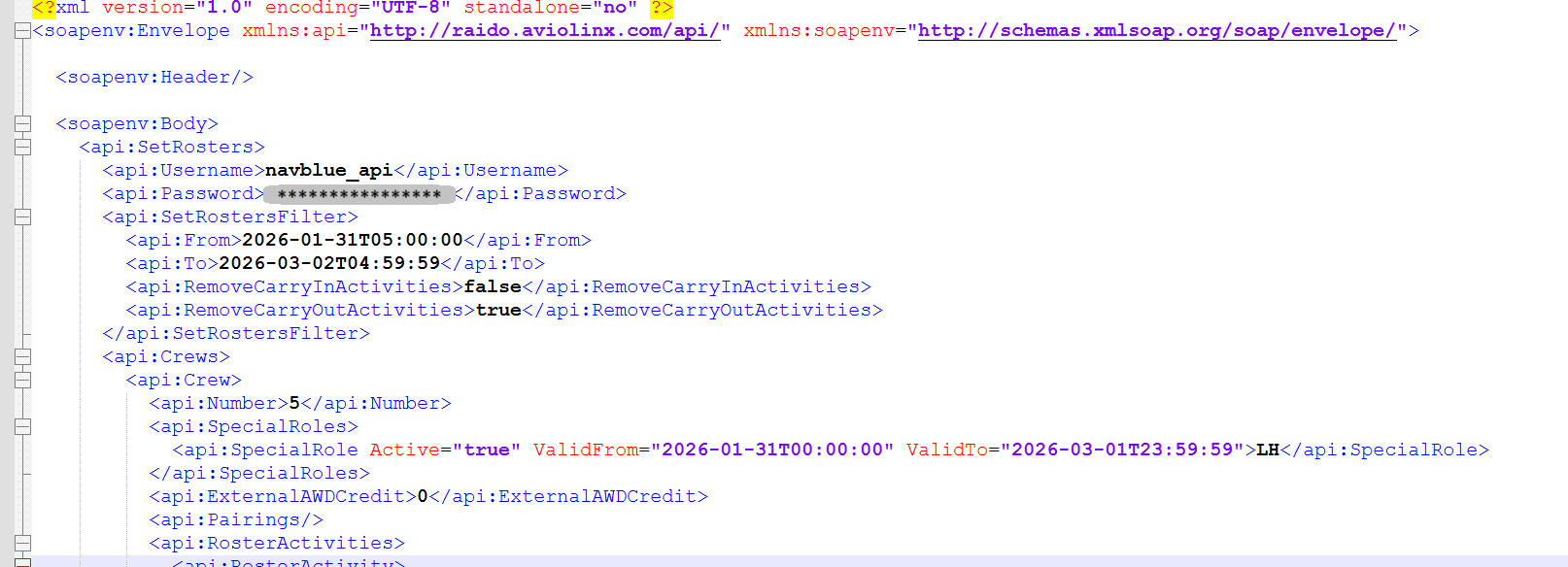
To improve data security, passwords are no longer displayed in plain text within N-OC export files by default.
Redacted by Default: Passwords will now output as asterisks (e.g., ******************) to protect sensitive credentials, as shown in image
New Configuration Option: We have introduced a new ShowNOCPassword setting in the PbsSettings.xml file to give you control over this behavior.
Managing the Setting: This setting defaults to "Disabled" (passwords remain redacted). If your organization's workflow specifically requires plain text passwords in the export file, an administrator can change this setting to "Enabled".
Acceptance Criteria
GIVEN an ALC admin who has NOC integrations
WHEN viewing the NOC export file and the ALC has ShowNOCPassword set to Disabled
THEN the password will be redacted in the NOC export file
GIVEN an ALC admin who has NOC integrations
WHEN viewing the NOC export file and the ALC has ShowNOCPassword set to Enabled
THEN the password will not be redacted in the NOC export file
S-112884 Community - Password Reset & Registration Email when name contains special characters
Description
We have resolved an issue to ensure seamless email communication for all bidders. Bidders whose first or last names include special characters will now reliably receive automated system emails.
Supported Characters: This enhancement specifically supports names containing apostrophes ('), hyphens (-), periods (.), and spaces.
Email Types Covered: This fix applies to essential communications, including initial registration emails and password reset workflows triggered from the Bidder UI login screen.
Sample email: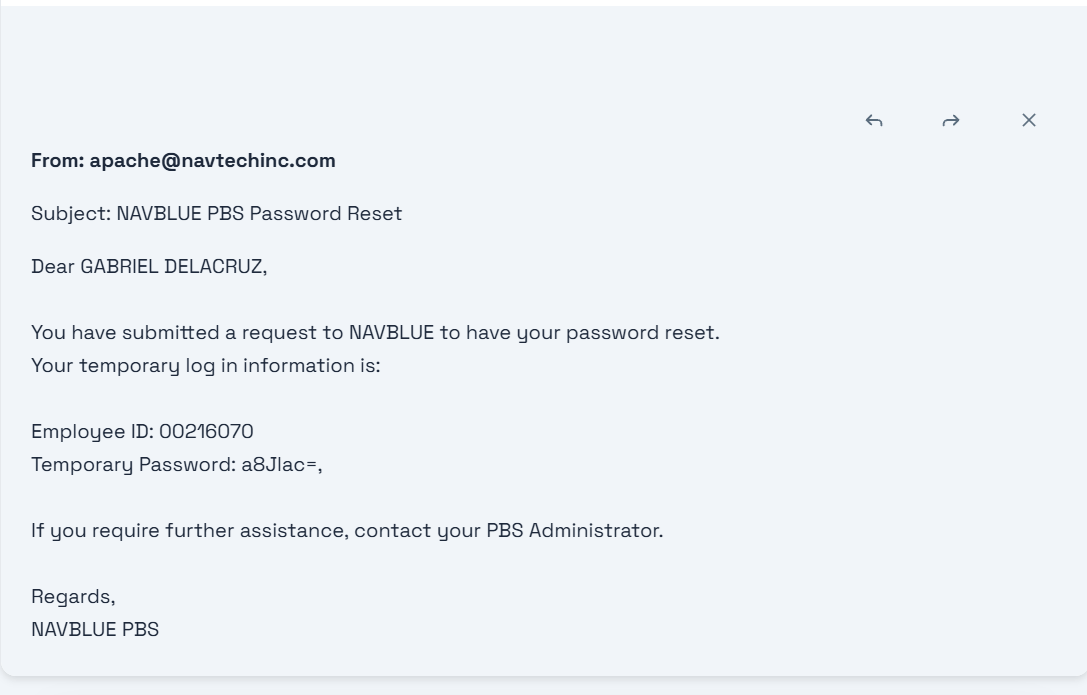
Acceptance Criteria
REGISTRATION EMAIL Acceptance Criteria
Scenario 1: Email sent successfully with an Apostrophe (')
Given a bidder's first or last name contains an apostrophe (e.g., D'angelo or O'Connor)
When the register email address workflow is completed successfully
Then the system must successfully generate and send the Email Registration email
Scenario 2: Email sent successfully with a Hyphen (-)
Given a bidder's first or last name contains a hyphen (e.g., Jean-Luc or Smith-Jones)
When the register email address workflow is completed successfully
Then the system must successfully generate and send the Email Registration email
Scenario 3: Email sent successfully with a Period (.)
Given a bidder's first or last name contains a period (e.g., St. John or Jr.)
When the register email address workflow is completed successfully
Then the system must successfully generate and send the Email Registration email
Scenario 4: Email sent successfully with a Space ( )
Given a bidder's first or last name contains a space (e.g., Mary Jo or van der Waals)
When the register email address workflow is completed successfully
Then the system must successfully generate and send the Email Registration email
PASSWORD RESET EMAIL Acceptance Criteria
Scenario 1: Email sent successfully with an Apostrophe (')
Given a bidder's first or last name contains an apostrophe (e.g., D'angelo or O'Connor)
When they complete the Forgot Password workflow successfully
Then the system must successfully generate and send the Password Reset Email
Scenario 2: Email sent successfully with a Hyphen (-)
Given a bidder's first or last name contains a hyphen (e.g., Jean-Luc or Smith-Jones)
When they complete the Forgot Password workflow successfully
Then the system must successfully generate and send the Password Reset Email
Scenario 3: Email sent successfully with a Period (.)
Given a bidder's first or last name contains a period (e.g., St. John or Jr.)
When they complete the Forgot Password workflow successfully
Then the system must successfully generate and send the Password Reset Email
Scenario 4: Email sent successfully with a Space ( )
Given a bidder's first or last name contains a space (e.g., Mary Jo or van der Waals)
When they complete the Forgot Password workflow successfully
Then the system must successfully generate and send the Password Reset Email